AI Prompting Guide
Harnessing AI Tools for Creative Video Production
The rise of AI-driven tools has transformed video creation, enabling creators to generate high-quality, cinematic content with minimal resources. AI tools offer powerful features that cater to diverse creative needs, from simple animations to advanced cinematic sequences. Here’s a breakdown of their general strengths and specific advanced guidelines.
General Theme Across All Tools
All these AI tools share a common goal: enabling efficient, innovative, and visually compelling video content creation. They democratize creativity by providing:
- Ease of Use: Streamlined workflows for creators with or without technical expertise.
- Precision: Support for detailed prompts and camera control.
- Customizability: Options to control elements like lighting, scene composition, and movement.
These tools shine when users combine descriptive language with an understanding of cinematic techniques, creating content that aligns with their vision. The clearer and more detailed your prompt, the better the AI can understand what you want and deliver a result that meets your expectations.
Video Tool-Specific Insights
AI video tools enable the creation of cinematic sequences, animations, and dynamic motion. Learn to structure prompts, control camera angles, lighting, and pacing, and combine clips for storytelling.
Examples/Tools
- Luma AI / RunwayML / Kling AI / Veo:Specify scene, camera, and motion in prompts.
- Tips:"Cinematic wide shot of a mountain village at sunrise, soft lighting, slow pan, Pixar-style animation."
Image Tool-Specific Insights
AI image tools allow for generating, editing, and enhancing visuals with style, lighting, and composition control.
Examples/Tools
- FluxKontextPro / StableDiffusion3.5 / LeonardoImage: Use detailed prompts with perspective, mood, and textures.
- Tips:"Ultra-realistic portrait of a golden retriever puppy in a sunflower field, soft morning light, shallow depth of field."
Audio Tool-Specific Insights
AI audio tools help create TTS voiceovers, music, and sound effects with style, emotion, and mood control.
Examples/Tools
- 11Labs (TTS): Use keywords for emotion/styles: happy, sad, calm, energetic, dramatic.
- Lyria (Music): Compose tracks using style, mood, and tempo (per Google guidelines).
- LoudStream / RUMusic (SFX): Layer ambient or action sounds; e.g., "Thunderstorm with heavy rain, distant thunder, soft wind."
What is [agent]?
[agent] is your prompt helper.
- It helps you write better prompts inside the app. You don’t need to go to ChatGPT or Gemini.
- You just tell [agent] what you want, and it helps you.
Why use [agent]? (3 reasons)
1️⃣ Better results
- [agent] understands rules better and gives clean, high-quality prompts.
2️⃣ No extra talking
- You can tell it: “Reply with prompt only”
- So you get only what you need.
3️⃣ Easy for beginners
- You don’t need prompt skills.
- Just explain your idea in simple words.
Always put [agent] at the start of the prompt.
- ✅ Correct: [agent] do something…
- ❌ Wrong: Please [agent] do something...
Prompt:
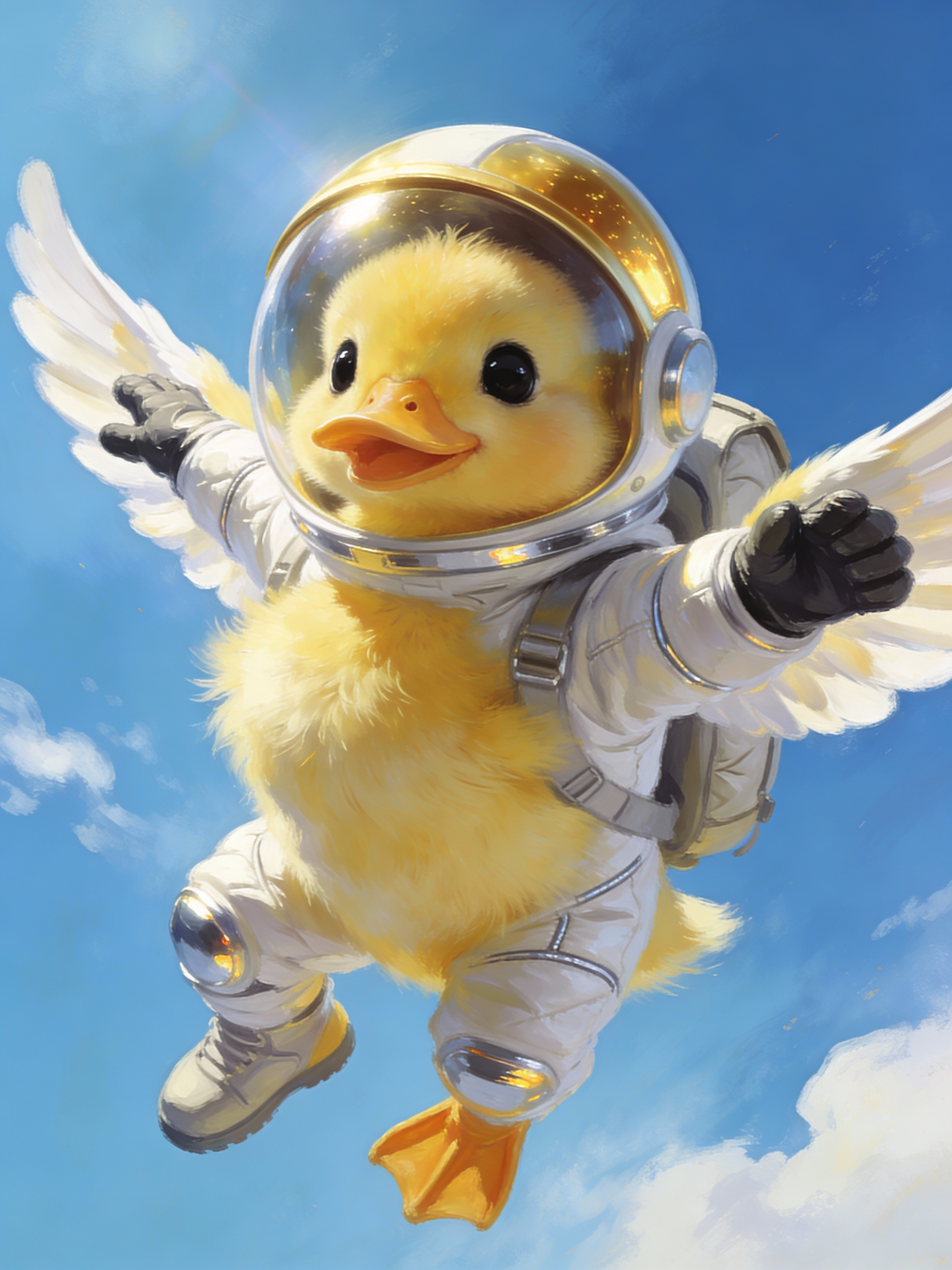
[agent] write image generation prompt A cute duck flying in the sky wearing a realistic astronaut suit.
Prompt updated by agent:
An adorable, small duckling with a cheerful expression and slightly ruffled feathers, flying with outstretched wings against a vast, clear blue sky. It's dressed in an authentic, high-fidelity astronaut suit, complete with a fitted helmet with a dark reflective visor, gloves on its wings, and a small backpack. The suit's fabric shows subtle wrinkles and highlights, indicating realistic material. A few fluffy clouds are in the distance. Digital painting, vibrant colors, expressive, high definition, fantasy art elements. * **Specific adjectives:** "fluffy yellow," "large, innocent black eyes," "meticulously designed," "highly realistic," "reflective chrome," "soft, wispy." * **Action verbs:** "soaring dynamically," "dotted," "illuminates," "peeking out." * **Realistic details for the suit:** "textured white fabric," "visible seams," "reflective chrome accents," "clear, slightly tinted gold visor," "realistic space boots," "fitted helmet," "small backpack," "subtle wrinkles and highlights." * **Details for the duck:** "fluffy," "large innocent eyes," "small webbed feet," "cheerful expression," "slightly ruffled feathers." * **Setting details:** "bright, cerulean blue sky," "soft, wispy white clouds." * **Lighting/Composition:** "Sunlight illuminates," "soft glow," "dynamic pose," "cinematic lighting." * **Art Style/Quality Modifiers:** "Photorealistic," "ultra-detailed," "sharp focus," "8k," "digital painting," "vibrant colors," "high definition.
Result: (see a result in public page)
Video Tool-Specific Insights
Veo 3.1 Advanced
Next-generation cinematic storytelling with Google’s Veo 3.1 — featuring ultra-consistent scenes, natural motion transitions, precision lip-sync, and enhanced audio blending. Create seamless videos with synchronized dialogue, ambient sound, and music — all generated in one unified flow.
Tips
- Focus on Visual Continuity
- Veo 3.1 Advanced connects moments across shots. Describe clear visual flow between scenes.Example: "A dancer twirls through a spotlight. The light fades and transitions into sunrise over a city rooftop where she finishes her pose in silhouette."
- Use Camera Transitions
- Integrate cinematic camera terms and scene bridges:Cross-fade, dolly out, tilt up, match cut, fade-through-color, seamless zoom.Close-up, wide shot, slow motion, dolly in, aerial view, handheld cam, tracking shot.Example: "Camera dolly-out from a tight close-up of a painter’s brush, cross-fading into a wide aerial of the completed mural."
- Describe Sound & Emotion
- Set tone with layered audio and emotion cues:Soft piano, urban ambience, thunderstorm, whispering wind, emotional crescendo.Example: "Rain pours as soft piano plays. A man says: I still remember her voice. Thunder rumbles, echoing his words."
- Show Realistic Motion
- Veo 3.1 handles natural physics and fluid animation.Add verbs that create movement:Running, spinning, drifting, falling, lifting, looking back, turning, breathing.Example: "The camera follows behind as she runs through the forest. Leaves scatter underfoot and her breath fogs in the cold air."
- Add Style & Consistency
- Choose your storytelling mood or art direction:Cinematic, photoreal, painterly, anime, retro, dreamlike, documentary.Example: "Dreamlike sequence — soft focus, glowing edges, ethereal lighting, lens flare drifts across the frame."
- Use Transitions (New in 3.1)
- Now supports smooth multi-scene continuity and sound-matched transitions:Fade-to-black, motion-match dissolve, synchronized audio cross-fade.Example: "The roar of a train fades into ocean waves as the scene transitions from a subway tunnel to a coastal cliff."
- Keywords to Include
- 4K, cinematic, volumetric light, shallow depth of field, natural shadows, dynamic motion, seamless transitions, audio sync, atmospheric, high consistency, soft focus, ambient score.
- Image-to-Video Tips. If using a photo:Describe motion only, avoid restating static elements.For sequential frames, specify start-to-end motion.Good Example: "Start frame: portrait of a woman gazing out a window. End frame: camera slowly pulls back as sunlight fills the room, blending with soft background music."
- Include Audio & Dialogue
- Add background music, ambient sounds, and speech for full realism.✅Correct: He says: Time waits for no one🚫Avoid: He says: “Time waits for no one”
- Need inspiration? Just start with this format:
- [Subject] + [Action] + [Scene] + [Camera] + [Mood] + [Audio] + [Transition]
Example Prompt:
- A man walks through a rainy street at night. Camera pans beside him, reflections shimmer on puddles. Jazz music and city sounds blend in the background. He says: I guess this is where it ends. The scene dissolves smoothly into sunrise over the same street, empty and silent.
Prompt Official Guide
Prompt:
A high-energy Japanese commercial where food is delivered by quirky characters in colorful maid costumes — like a group of cheerful grandmas dancing and twirling as they bring steaming bowls of ramen to your door. The scene is fast-paced, filled with neon text pop-ups, sound effects, and exaggerated reactions. The camera zooms on the delicious food, then cuts to the delivery characters striking silly poses with big smiles. Upbeat J-pop music and over-the-top announcer voice shout: 'Food delivered with love and style!'
Result: (see a result in public page)
Prompt:
In a glowing dreamlike scene, the golden retriever wags its tail and offers a bouquet of flowers. The Mona Lisa smiles warmly, gently tilts her head, and accepts the flowers with a soft laugh. Petals rise into the air, glowing as they swirl around both of them. The camera slowly circles, catching the dog’s happy expression and Mona Lisa’s rare, radiant smile. Gentle harp music and soft wind chimes create a magical, romantic mood
Result: (see a result in public page)
LUMA AI + LUMA Ray2
Tips & Prompting Stylie
- Ultra-Realistic + Cinematic Physics + Emotional Atmosphere.Best For: Real-world logic, lifelike texture, natural motion, subtle detail, grounded physics, and documentary or lifestyle scenes.
- Motion Description: Always clearly describe what’s happening, e.g. “A dog runs across a sandy beach and splashes into the water.”
- Use Real-World Detail: Describe setting and physical textures (e.g. “Wet cobblestone street reflecting neon lights,” “wood grain,” “soft sunlight through dusty air.”)
- Scale & Physics: Be creative with physical ideas: “A coin spins in slow motion on a glass table,” “Rain falling onto hot metal sizzles into steam.”
- Emotion & Vibe: “Warm, nostalgic lighting,” “peaceful vibe,” “slow and romantic.” Mood is as important as subject.
- Camera Movement: Include “slow dolly out,” “macro close-up,” “overhead drone shot,” “push in.”
Keywords
- macro close-up, dolly zoom, natural lighting, raindrops in slow motion, realistic physics, subtle facial motion, background bokeh, shallow depth of field, sunlight flares
Prompt Official Guide
Prompt:
A jeep truck driving in the mexico jungle as it runs fast through puddles of water churning up water and mud in thick sprays. The wheels are rotating and the camera captures the hulking.
Result: (see a result in public page)
Prompt:
A stylish woman walks down a Tokyo street filled with warm glowing neon and animated city signage.
Result: (see a result in public page)
Kling AI & Kling2
Tips & Best Practices
- Structure Your Prompt: Always include subject, subject description, subject movement, scene, scene description, and optionally—camera style, lighting, and atmosphere.
- Simple Action Language: e.g., “A knight walks through misty woods at dawn.” or “A woman walks through falling cherry blossoms.”
- Motion Control (Image2Video):, Combine subject + motion with background + motion. E.g., “A woman holds a cup of coffee, subtle steam rising, background of a rainy window.”
- Physics-Driven Events: e.g., “Raindrops splashing in slow motion”, “Book falling, pages flipping with wind.”
- 360 & Split-Screen: Use “360-degree spin”, “4 camera angles for 4 seasons”, or “multi-view split screen”
- Avoid Numbers: Use terms like “a group of birds” instead of “7 birds” for best results.
- Image2Video Tip: Describe motion explicitly, like “Mona Lisa slowly lifts sunglasses with her right hand.”
Keywords
- Camera Movements: Move Left, Move Right, Move Up/Down, Zoom In/Out, Pan (Vertical), Tilt (Horizontal), Roll Left/Right, Crane Up, Orbit Left
- Master Shots: Move Left and Zoom In, Move Right and Zoom In, Move Forward and Zoom Up
- Angles & Effects: “Low Angle”, “Eye Level”, “POV”, “Backlighting”, “Lens Flare”, “Neon Glow”, “Slow Motion”, “Dolly Zoom”.
Prompt Official Guide
https://ageofllms.com/ai-howto-prompts/ai-fun/kling-ai-promp-guidehttps://kling2.ai/guidePrompt:
Shot in medium range, with a blurred background and atmospheric lighting, a giant panda, adorned with black-rimmed glasses, is seen reading a book in a café. The book lies on a table, accompanied by a steaming cup of coffee, next to the cafe windows. Movie-level color palette.
Result: (see a result in public page)
Prompt:
Cat walking forward on the alien landscape, his tail swaying gently. A vibrant meteor shower fills the sky, with meteors streaking across.
Result: (see a result in public page)
RunwayML
Tips
- Use structured prompts i.e. organize Text-only prompts into [camera movement]: [scene setup]. [details].
- All prompts should be direct and easily understood, not conceptual (e.g. "a man vigorously typing on the keyboard" instead of "a man hacking")
- Prompts should be descriptive, not conversational or command-based (e.g. "a dog playfully runs across the field" instead of "can you make a video of a dog playing in the field" nor "add dog to the image")
- Prompts should use positive phrasing (e.g. use "a clear sky" instead of "a sky with no clouds", or use "the camera remains still" instead of "no movement")
Keywords
- Camera Styles: Use keywords such as "low-angle", "High angle", "Overhead", "FPV", "Hand held", "Wide angle", "Close up", "Macro cinematography", "Over the shoulder", "Tracking", "Establishing wide", "50mm lens", "SnorriCam", "Realistic documentary", "Camcorder".
- Lighting Styles: Use keywords such as "diffused lighting", "Silhouette", "Lens flare", "Back lit", "Side lit", "[color] gel lighting", "Venetian lighting".
- Movement Speeds: Use keywords such as "Dynamic motion", "Slow motion", "Fast motion", "Timelapse".
- Movement Types: Use keywords such as "Grows", "Emerges", "Explodes", "Ascends", "Undulates", "Warps", "Transforms", "Ripples", "Shatters", "Unfolds", "Vortex".
- Aesthetic: Use keywords such as "moody", "cinematic", "Iridescent", "Home video VHS", "Glitchcore".
- Text Styles: Use keywords such as "Bold", "Graffiti", "Neon", "Varsity", "Embroidery".
Prompt Official Guide
Prompt:
Low angle static shot: The camera is angled up at a woman wearing all orange as she stands in a tropical rainforest with colorful flora. The dramatic sky is overcast and gray.
Result: (see a result in public page)
Prompt:
Parallax camera movement of a woman on stage speaking, the camera orbiting around the stage as she subtly gestures with her hands while speaking.
Result: (see a result in public page)
Minimax Hailuo
Tips
- Prompt formula: Subject + Subject Motion + Scene + Camera Movement + Aesthetic Atmosphere.
- Precise Camera Movement: Detailed instructions like "The camera descends slowly, wrapping around to focus on the subject's face."
- Atmospheric Aesthetics: Specify ambiance with terms like "natural color tones" or "neon reflections in a bustling city."
- Transformation: Describe environmental changes, e.g., "A foggy forest clearing with light beams piercing through."
Prompt Official Guide
https://b6j6u5f4zf.feishu.cn/docx/T3iLdwLAToky3txGtVCcjMbZnQhPrompt:
A chef flambéing a dish at a hotel restaurant. Camera: dynamic zoom in on the flames. Lighting: warm and theatrical.
Result: (see a result in public page)
Seedance
Tips
- Lead with movement: Use action verbs like twirl, leap, glide, spin, wave, stomp.
- Set the mood: Emotion and lighting define the feeling of the performance.
- Direct the camera: Describe where the camera is, how it moves, and what it captures.
- Use real-world lighting or stylized environments: Spotlight, neon glow, sunset, fog, etc.
- Balance detail and flow: 1 action + 1 emotion + 1 visual + 1 camera move = powerful prompt.
Keywords
- Dance Styles: Ballet, Hip-Hop, Contemporary, Salsa, Breakdance, Tango, Kathak, Freestyle, Flamenco, Street Dance
- Motion Verbs: Twirl, Spin, Leap, Slide, Pose, Stomp, Lock, Pop, Glide, Wave, Crush, Lift, Pulse
- Camera Movements: Orbit, Crane Up, Tracking Shot, Close-Up, Overhead Drone, Low Angle, Zoom In, POV, Dolly Back
- Lighting & Mood: Spotlight, Golden Hour, Neon Glow, Stage Lighting, Candlelight, Blue Ambient Light, Backlight, Red Mood Light
- Effects: Slow Motion, Rain, Fog, Dust Particles, Sparks, Firelight, Light Rays, Shadow Contrast
Prompt Official Guide
https://seedance.net/prompt-guidePrompt:
The leopard glides silently through thick jungle undergrowth, its sleek, spotted body low and poised. Each step is smooth and calculated, its sharp eyes locked ahead with predatory focus. The foliage reacts softly — leaves brushing aside, branches shifting under its weight. The camera moves low and steadily in a slow dolly backward, facing the leopard as it approaches with graceful intensity. Shallow focus shifts briefly highlight nearby leaves before snapping back to the leopard’s piercing gaze, framed by the tangled green.
Result: (see a result in public page)
Prompt:
A young red-haired violinist plays gently on stage, her bow gliding with emotion. Her hair sways slightly with her movement. The lights above her shimmer as the camera begins with a close-up on her focused face, then slowly pulls back to reveal the grand concert hall. The audience remains silent, fully absorbed. Warm cinematic lighting with soft bokeh. Slow zoom and sweeping overhead arc for drama and elegance.
Result: (see a result in public page)
PixVerse
Tips
- Add a descriptive text prompt and define the elements in your scene.
- Subject + Subject Description + Action + Environment
- Set emotional atmosphere like the mood or tone and give a proper reference style like cinematic or cartoon
Keywords
- Subjects, action words, settings, adjectives, moods, styles, lighting
Prompt Official Guide
https://docs.pixverse.ai/PixVerse-Prompt-Tips-Basic-Edition-e8770d46349e4536930d5a4fadecf9adPrompt:
A young, skilled pilot in the cockpit of their sleek spaceship, engaging in a daring dogfight with an enemy squadron near the looming epic space station. Description: The pilot's youthful exuberance is evident in their wide eyes and grin as they navigate the intricate maze of the space station's defense systems. The cockpit is a cocktail of futuristic gadgets and ergonomic design, showcasing the pilot's mastery over the spacecraft.
Result: (see a result in public page)
Prompt:
The robot waves and walks toward the camera through a smoky alley.
Result: (see a result in public page)
Hunyuan
Tips
- Use this tool for good physical accuracy, high dynamics, and scene consistency.
- A compelling AI video prompt consists of 7 components:
- 1. Subject - define your star: "A young woman with flowing red hair", "A sleek electric sports car", "A majestic eagle in flight".
- 2. Scene - set your stage: "In a neon-lit cyberpunk cityscape", "Amidst a snow-covered forest at dawn", "Inside a minimalist modern apartment"
- 3. Motion - bring life to your video: "Gracefully dancing through falling autumn leaves", "Rapidly accelerating along a coastal highway", "Smoothly transitioning between yoga poses"
- 4. Camera movement - direct your shot: "Slow upward tilt revealing the cityscape", "Smooth tracking shot following the subject", "Dramatic circular pan around the scene"
- 5. Atmosphere - create the right mood: "Mysterious and ethereal atmosphere", "Energetic and vibrant mood", "Calm and serene ambiance"
- 6. Lighting - perfect your illumination: "Soft, warm sunlight filtering through trees", "Sharp, contrasting shadows from street lights", "Diffused, ethereal glow from above"
- 7. Shot composition - frame your vision: "Close-up shot focusing on emotional expression", "Wide landscape shot emphasizing scale", "Low-angle shot creating dramatic perspective"
- Use Evocative Language: e.g. use "Sun-drenched" instead of "A bright day", use "Surging," "Gliding" instead of "Moving quickly".
- Paint with Details: e.g. use "Ancient redwoods towering into misty heights" instead of "A forest", use "A Victorian mansion with intricate wrought-iron details" instead of "A nice house"
- Maintain Visual Consistency: Keep lighting conditions unified throughout the scene, ensure color themes work together, match mood elements across all scene components, maintain realistic physics and movement patterns.
- Write Clear, Direct Descriptions: Focus on concrete visual elements, describe exactly what should be seen, structure descriptions from main subject to supporting details, use precise spatial and directional terms.
Prompt:
A graceful ballet dancer in a flowing white dress. Inside a grand, historic theater with ornate golden decorations. The dancer performs a fluid pirouette, her dress creating circular patterns in the air. Camera slowly circles around the dancer, starting at eye level and gradually ascending. Dramatic spotlight from above creates a soft glow, while shadows dance across the stage floor.
Result: (see a result in public page)
Prompt:
A stylish woman walks down a Tokyo street filled with warm glowing neon and animated city signage. She wears a black leather jacket, a long red dress, and black boots, and carries a black purse.
Result: (see a result in public page)
Wan
Tips
- Quite capable open-source tool from Alibaba with good understanding for physics, adherence to prompts, and stunning videos especially in the anime category.
- Be descriptive to set the characters’ appearance, the background settings, and the desired motions.
Prompt Official Guide
Prompt:
Two anthropomorphic cats in comfy boxing gear and bright gloves fight intensely on a spotlighted stage.
Result: (see a result in public page)
Prompt:
Summer beach vacation style, a white cat wearing sunglasses sits on a surfboard. The fluffy-furred feline gazes directly at the camera with a relaxed expression. Blurred beach scenery forms the background featuring crystal-clear waters, distant green hills, and a blue sky dotted with white clouds. The cat assumes a naturally relaxed posture, as if savoring the sea breeze and warm sunlight. A close-up shot highlights the feline's intricate details and the refreshing atmosphere of the seaside.
Result: (see a result in public page)
Sora2
Tips
- Keep it short, vivid, and visual — imagine you’re describing a movie shot to someone holding the camera.
- Focus on who / where / what’s happening
- Use strong visual words — colors, lighting, vibe
- Add camera moves (close-up, wide, slow pan)
- Keep one clear action per shot
- Optional: Add emotion or cinematic style
Useful Keywords
- Camera / Motion / Environment / Lighting / Style / Emotion: close-up, wide shot, tracking, panning, walking, running, floating, neon-lit, foggy, rainy, forest, ocean, golden hour, soft light, cinematic, photorealistic, Pixar-style, magical, joyful, suspenseful, calm.
Write as if describing a movie shot. Keep it visual, emotional, and simple.
- [Subject + Action]
- [Environment + Mood + Style]
- [Camera + Lighting + Motion]
Prompt Official Guide
Prompt:
Two creators float in zero gravity inside a glowing space station with Earth and stars visible through panoramic windows. Holographic screens displaying Sora 2 features orbit around them. Person 1: "Sora 2 the motion, the lighting, it’s like nothing I’ve ever seen!" Person 2: "Totally! The realism, the cinematic angles.it makes every scene pop!" Camera angles: Close-up of Person 1’s face illuminated by holograms Medium shot of Person 2 pointing at floating holographic demos Wide shot showing both floating with Earth and stars in the background, Visual style: futuristic neon-blue accents, soft space lighting, reflections on visors, dynamic holographic motion.Duration: 6–8 seconds.
Result: (see a result in public page)
Image Tool-Specific Insights
Seedream
Seedream 4.0 is a next-generation image creation model combining image generation and editing. It works best with clear, structured prompts that guide the AI to create or edit images with precision and style.
Core Prompt Structure
A strong prompt usually includes:
- Task → What you want (generate image, edit image, replace object, colorize, etc.)
- Subject → Who/what it's about
- Style / Tone → Photorealistic, cartoon, watercolor, cyberpunk, cinematic, etc.
- Composition / Layout → Scene setup, perspective, placement of elements
- Details / Constraints → Colors, lighting, textures, must-have objects, edits
- Output / Format → Resolution, aspect ratio, variations
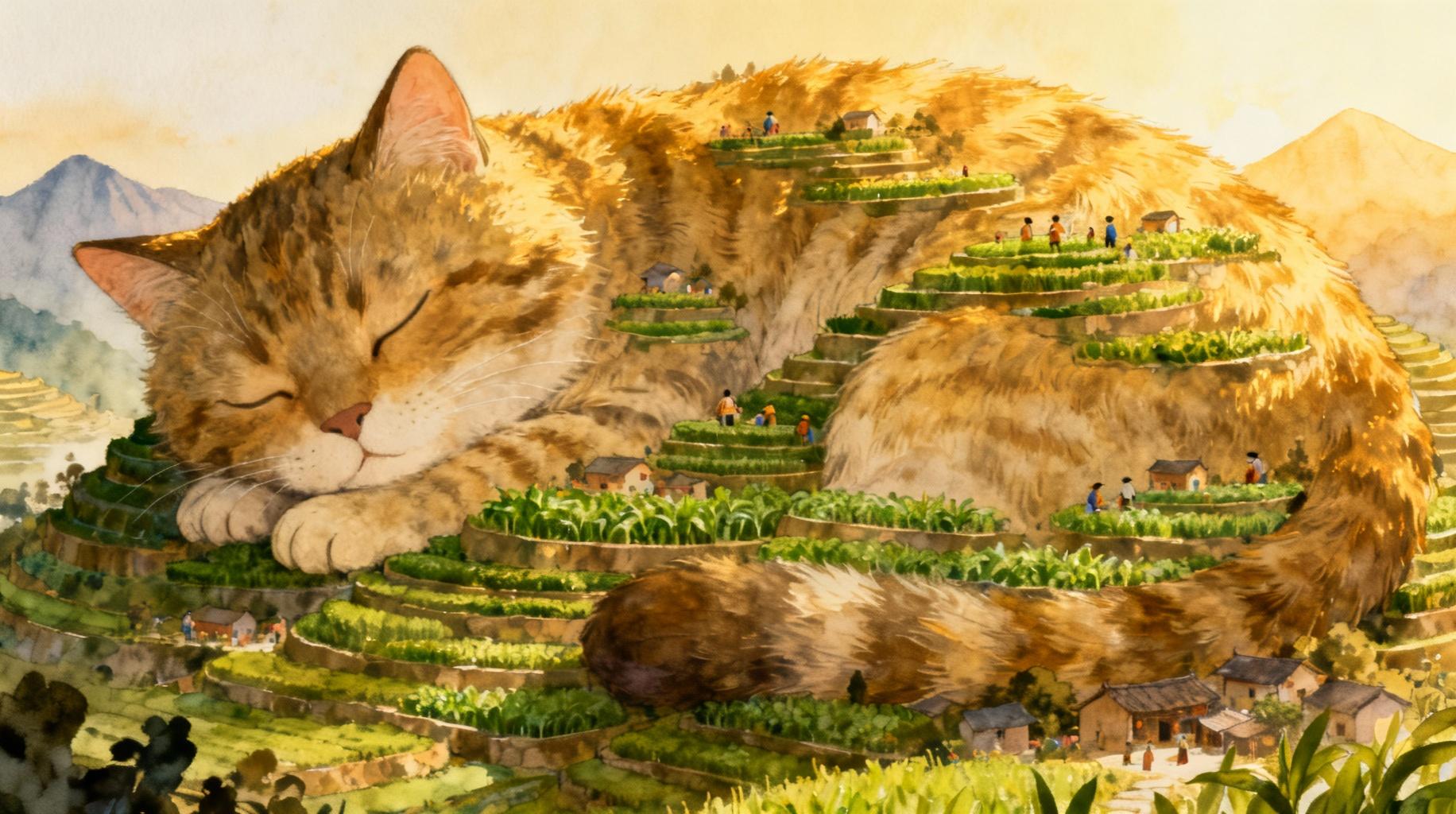
Prompt:
A mountain shaped like a giant sleeping cat, villagers living on its fur as terraces
Result: (see a result in public page)
Nano Banana
Nano Banana lets you create and edit images conversationally. You can start with text, images, or both — giving you full control to generate, tweak, and perfect your visuals.
Here’s what you can do:
- Text-to-Image
- Turn a simple or detailed description into a high-quality image.
- Example: "A nano banana dessert plated on marble, warm candlelight, luxury vibe."
- Image + Text-to-Image (Editing)
- Upload an image and use prompts to add, remove, or modify elements, change style, or adjust color.
- Example: "Take this banana photo and replace the background with a tropical sunset."
- Multi-Image to Image (Composition & Style Transfer)
- Combine multiple images into a new scene or apply one image’s style to another.
- Example: "Blend this banana photo with watercolor painting style."
- Iterative Refinement
- Work step by step. Make small adjustments until your image is perfect.
- Example: "Make the shadows softer, then add subtle highlights."
- High-Fidelity Text Rendering
- Generate images with sharp, legible text, perfect for logos, posters, and diagrams.
- Example: "Logo: 'Nano Banana' in bold gold letters on a dark background, banana icon above."
Quick Tips for Better Prompts
- Be Specific – Describe subject, style, lighting, mood, and camera angle.
- Use Style Words Photorealistic, cartoon, kawaii, minimal, abstract.
- Control Composition Close-up, macro, wide shot, top-down, 45° angle.
- Iterate Gradually Start simple, then refine details with follow-up prompts.
Example Uses
- Social Media Visuals Minimalist banana illustration with empty space for text.
- Product Mockups Nano Banana jar on marble or wood with soft lighting.
- Posters & Ads Bold neon typography with banana illustration glowing.
- Icons & Stickers Flat design or kawaii-style banana for apps, stickers, or branding.
Prompt Official Guide
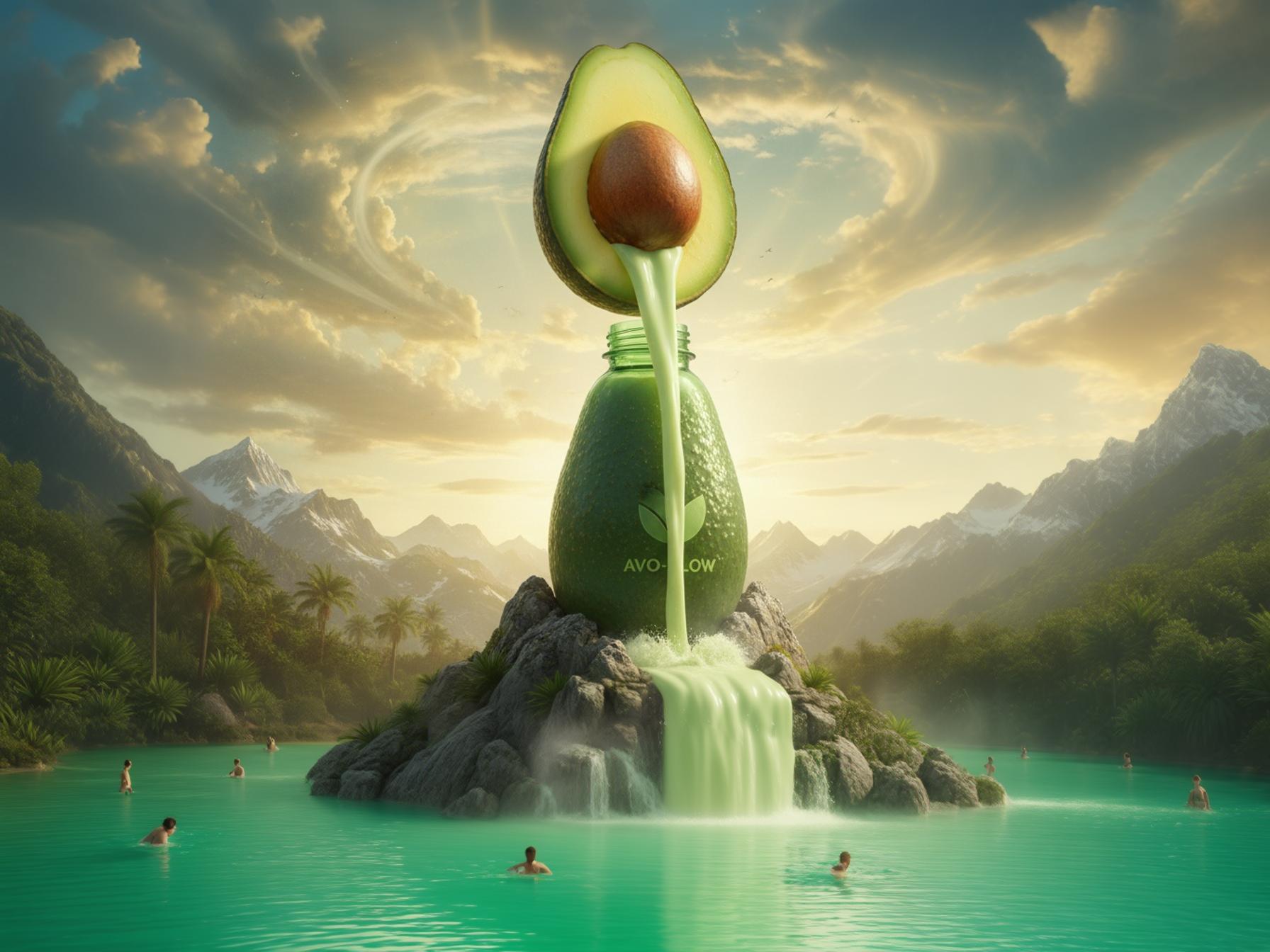
Prompt:
CGI giant avocado juice bottle on a mountain, huge avocado pouring juice into it, waterfall flowing down, people swimming below, surreal cinematic ad style.
Result: (see a result in public page)
OpenAI (GPT Image)
OpenAI models respond best to clear, structured instructions. This guide will help you craft prompts for text, image, and multi-modal generation, so you can achieve consistent, high-quality results every time.
Your prompt is the instruction that guides the AI. The more precise and detailed your input, the better the output. Think of it as giving the AI both the task and the context.
Core Prompt Structure
A strong prompt usually includes:
- Task → What you want (write, summarize, generate an image, translate, etc.)
- Subject → Who/what it's about
- Style / Tone → Professional, playful, cinematic, etc.
- Format → Bullet points, blog post, table, list, etc.
- Details → Mood, setting, perspective, length, constraints
Example Prompts
Text Example
- ❌ "Summarize this text."
- ✅ "Summarize the following text in 3 bullet points, under 150 words, tone: professional."
Image Example
- ❌ "A wolf in a forest."
- ✅ "Photorealistic grey wolf standing in a misty forest at dawn, golden light, shallow depth of field, 16:9 aspect ratio."
Quick Tips at a Glance
- Always define task + style + format
- Use specific adjectives for images
- Refine instead of overloading prompt
- Generate multiple variations to compare
- Avoid contradictions (e.g. "minimalist but also highly detailed")
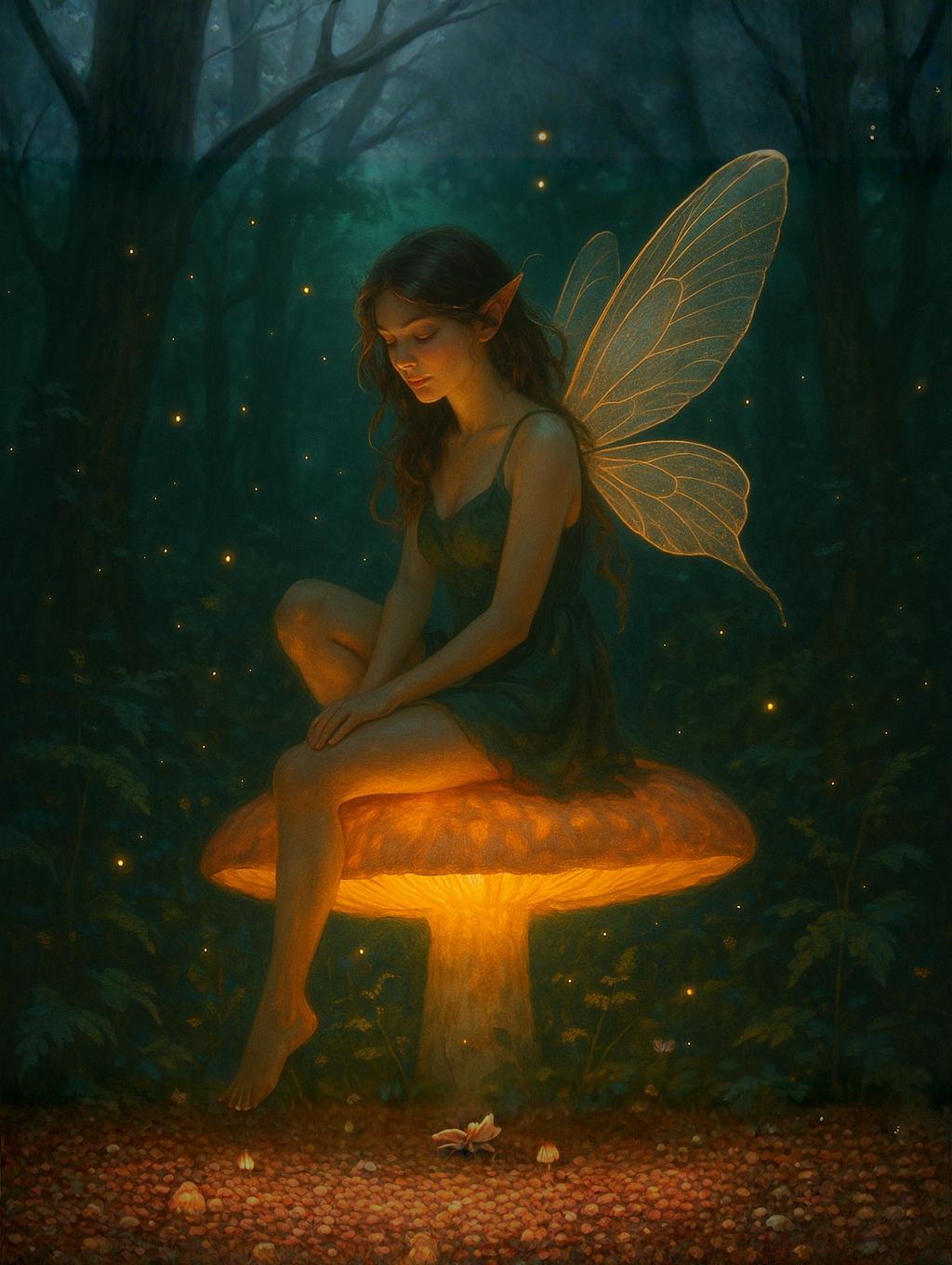
Prompt:
Fairy sitting on a glowing mushroom, enchanted forest, magical atmosphere
Result: (see a result in public page)
Flux Kontext
Flux Kontext helps you transform, refine, and reimagine your images with text prompts. Whether you need subtle adjustments or complete makeovers, this guide shows you the best strategies for consistent, professional results.
How Flux Kontext Works
- Input Image → anchors the composition (layout, subject, style).
- Text Prompt → adds new details, refinements, or creative changes.
- Strength Control → decides how much to transform:
- 0.3–0.5 → Subtle edits, keeps original look.
- 0.6–0.8 → Balanced changes.
- 0.9–1.0 → Full creative transformation.
Prompt Formula
Subject + Background + Style + Extra Detail
- Example: "Luxury perfume bottle on marble table, cinematic lighting, glossy reflections"
- Example: "Cartoon cat in pastel bedroom, kawaii style, soft colors"
Pro Tips
- Use negative prompts to avoid unwanted details.
- 👉 Example: "no text, no blur, no watermark"
- Start with short prompts and expand gradually.
- Save variations — small changes can create big differences.
Example Prompts You Can Use or Adapt
- "Change the sky to golden dusk, keep the same architecture and lighting."
- "Remove the car, put people walking on the sidewalk, while maintaining the painting style."
- "Convert the photo into pencil sketch style with visible line texture, preserve composition."
- "Replace 'Sale 50%' with 'New Flavor' on the sign, keep font and background unchanged."
Audio Tool-Specific Insights
Native Audio
Beside AI video tools, you can also generate native sound effects and lip sync for the videos to have more immersive experience. You can simply add “Audio:” followed by the desired sound to the prompt itself (Make sure to have Audio turned on in the Apps or via the API).
Prompt:
A woman sitting on a couch with a view of the sea and birds. Audio: The sound of sea waves crashing.
Result: (see a result in public page)
Text To Speech
Elevenlabs V3 TTS
Prompt Official Guide
Lyria 2 AI Music
Prompt Official Guide